Ceiling Fan Transition AI Video Generator: 4-Look Top-Down Outfit Swap
Skip taping your phone above a spinning fan or filming four separate wardrobe takes. With our Ceiling Fan Transition AI generator, one full-body photo places you on a rug beneath a turning overhead fan where three synchronized blade sweeps snap you cleanly through four distinct outfits—starting with your photo’s clothes as Look 1.
- 15s
- 1 person
- 9:16 vertical
Make the 15-second Ceiling Fan Transition AI video from one photo. Every fan blade sweep changes your outfit across four looks in Mixed, Glam, or Streetwear.
- 1 Your photo
- 2 Free preview
- 3 Your video
Star in Ceiling Fan Transition AI
Add a photo and see yourself in the scene first, free.
Free preview first · Automatic refund if it fails
By making it, you confirm you have permission to use the uploaded photos.
The 15-Second Blade-Occlusion Wardrobe Swap & Identity Lock Pipeline
- Quality Options
- HD (720p) · Full HD (1080p)
- Credit Price
- From 13 credits (HD · 720p)
- Length & Format
- 15s · 9:16 HD
- Input
- 1 Photo(s)
- 1. Four-Look Facial, Hair & Body-Build Lock Holds your face, hair color, and body proportions constant across all four outfits while keeping your uploaded photo’s clothes as Look 1.
- 2. Blade-Occluded Wardrobe Snap Timing Synchronizes each outfit swap with the exact millisecond a wide foreground fan blade covers your body, preventing mid-air fabric melting.
- 3. Locked Overhead Camera & Rigid Fan Geometry Maintains a rock-steady bird’s-eye perspective above the fan hub so the spinning blades stay rigid and evenly spaced without warping.
- 4. Three Curated 4-Look Wardrobe Packs Lets you pick between Mixed Styles (blazer, gown, leather), Glam Gowns (four formal looks), or Streetwear (jackets, hoodies, baggy denim).
- 5. Subtle Floor Posing Between Blade Sweeps Adds natural, relaxed movements on the rug—a hand to the hair, a glance up at the lens—while keeping your torso aligned for each blade wipe.
Photorealistic 15-second live-action top-down locked-camera video looking straight down past a turning brushed-nickel ceiling fan onto a dusty-blue living-room rug. Anchor 100% of the subject’s facial identity, hairstyle, hair color, skin tone, and body proportions to your uploaded photo across all 15 seconds. Use the exact outfit from your uploaded photo as Look 1 during the opening roll-in (0–4.5s), then execute three crisp wardrobe changes strictly occluded behind wide diagonal fan-blade sweeps at 4.5s, 9.5s, and 13.0s so the clothing never morphs in open view.
Why Manual Editing Falls Short
- Open-View Clothing Melt: Without a blade-timing motion reference, standard models morph the dress or jacket in plain sight instead of hiding the cut behind a passing blade.
- Identity Drift by Look 3 & Look 4: Repeated wardrobe changes in generic generators gradually alter facial features and hair unless the identity lock is re-anchored on every sweep.
- Warped or Multiplying Fan Blades: Unconstrained video models struggle with foreground rotating blades, often bending them or drifting off the top-down camera angle.
✓How HotDance AI Solves It
HotDance AI pre-wires the top-down motion reference, blade-occlusion timestamps, and four-look identity anchors so one full-body photo produces a seamless 15-second wardrobe swap.
Ceiling Fan Transition AI examples
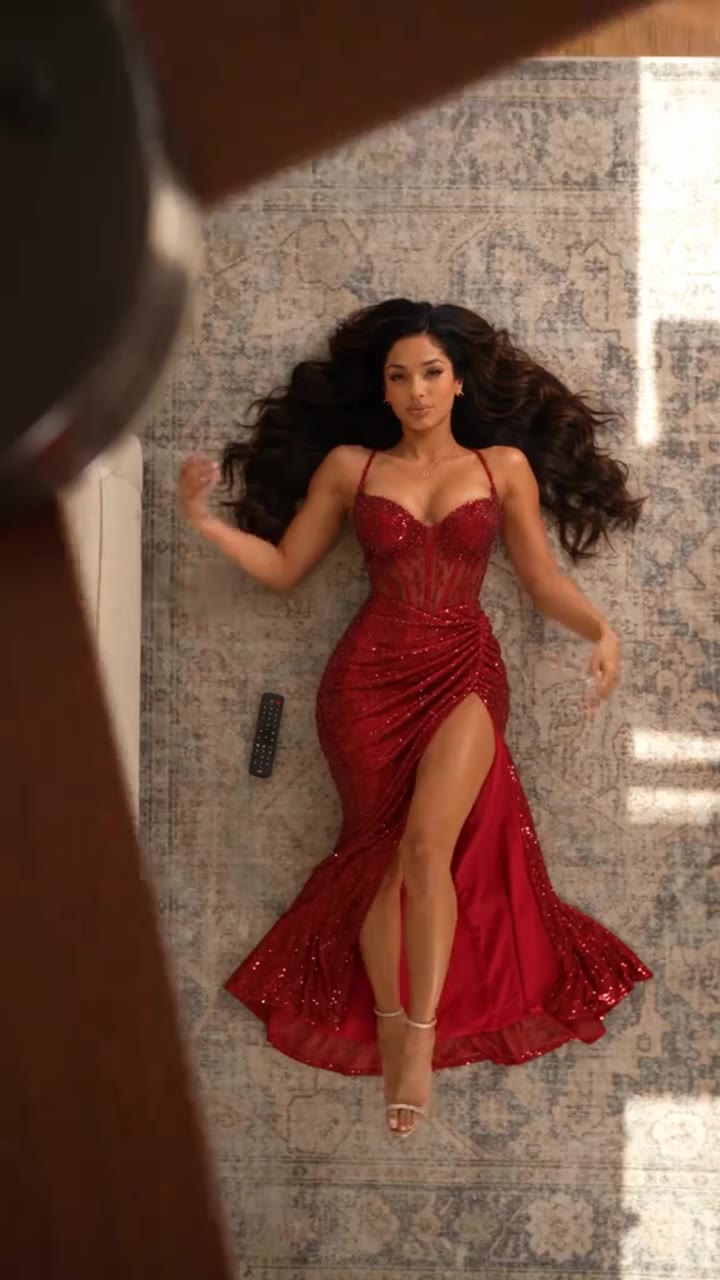
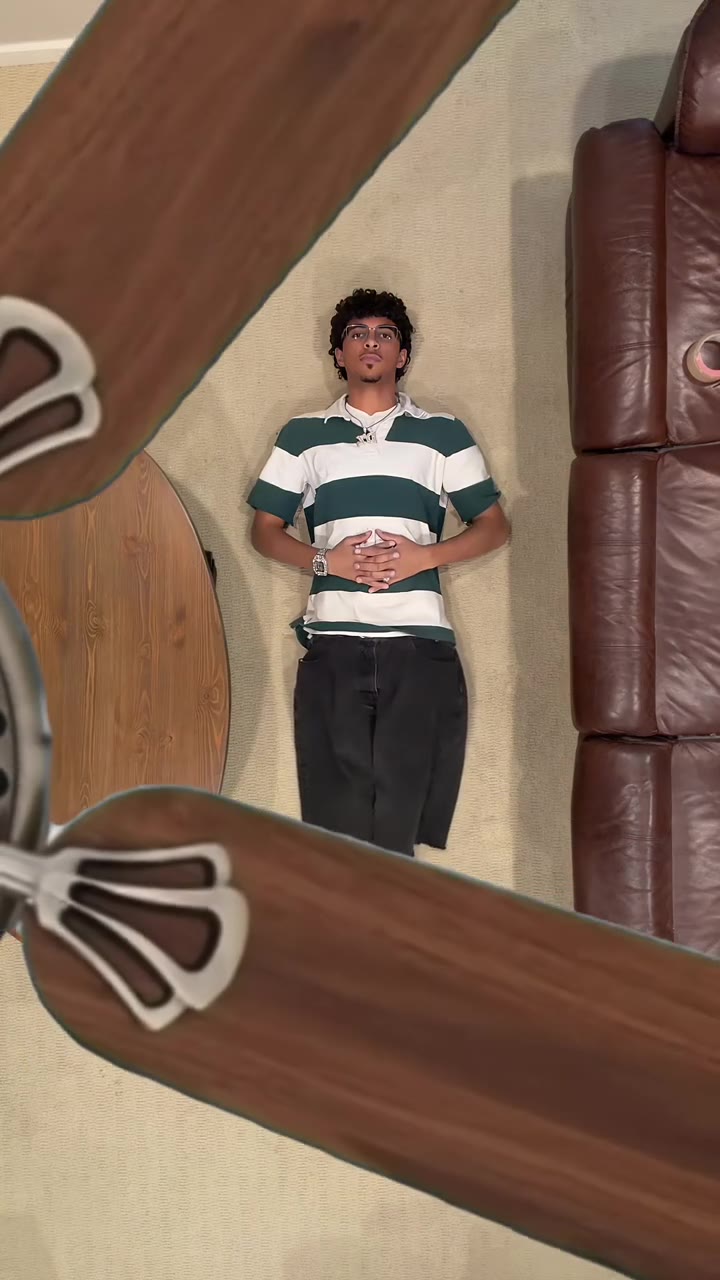
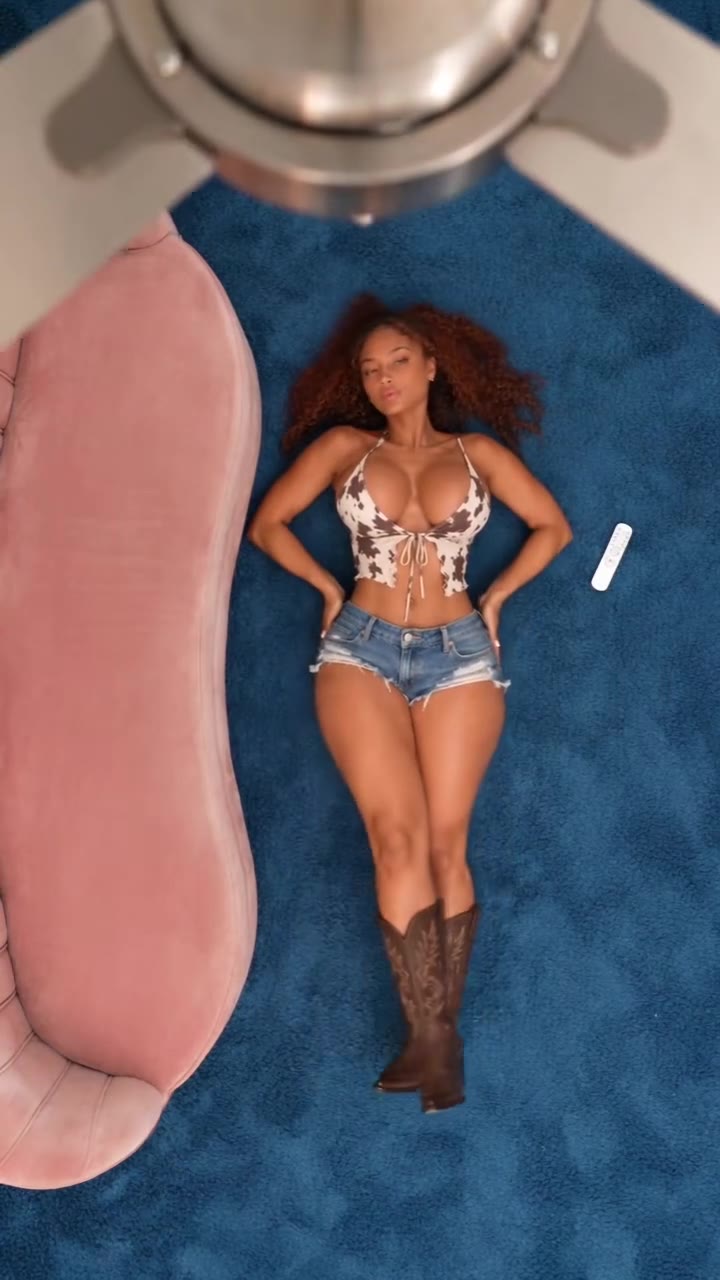
How to make your Ceiling Fan Transition AI video
Upload one full-body photo (your Look 1)
Choose a clear, well-lit full-body photo facing the camera. What you are wearing in the photo becomes Look 1 before the first fan blade sweeps across.
Pick Mixed Styles, Glam Gowns, or Streetwear
Select your four-outfit wardrobe pack and choose 9:16 vertical for TikTok/Reels/Shorts, 1:1 square, or 16:9 widescreen.
Generate & download your 15-second MP4
Click Generate to render a watermark-free 15-second MP4 with three blade-covered outfit swaps and audio included.
What Is the Viral Ceiling Fan Transition AI Four-Outfit Trend?
Remake the Ceiling Fan Transition AI trend on HotDance AI (hotdanceai.com): upload 1 photo, check your instant AI character frame preview with no sign-up, and render a 15s watermark-free HD video with synced audio from 13 credits — no prompt writing or reference video needed.
The Ceiling Fan Transition AI trend—also tagged on TikTok and Instagram Reels as the "Fan Fashion" outfit challenge—is a 15-second bird’s-eye video shot from above a turning ceiling fan. A creator rolls onto a living-room rug in casual clothes, looks up toward the camera, and every time a wide fan blade sweeps across the lens, their outfit swaps to a completely new look.
Filming the trend practically requires taping a phone above a ceiling fan, marking the rug to match your exact body position four times in a row, and manually masking each blade pass in an editing app. Because the AI version matches the signature dusty-blue rug, brushed-nickel fan hub, and blade-timed cuts so closely, viewers in the comments routinely debate whether clips were filmed for real or generated from a photo.
HotDance AI brings the entire 15-second, four-look sequence into your browser. You upload one standing photo to serve as Look 1, pick Mixed Styles, Glam Gowns, or Streetwear for the three blade-wipe reveals, and download a watermark-free MP4 ready to post.
Ceiling Fan Transition AI timeline breakdown
Sofa Roll-In & Look 1 (Your Original Outfit)
You roll onto the center of the blue rug wearing the exact outfit from your uploaded photo and settle on your back looking up past the spinning fan tips.
First & Second Blade Sweeps (Look 2 & Look 3)
A foreground fan blade sweeps diagonally across the lens at 4.5s to reveal Look 2, followed by a relaxed pose and a second blade wipe into Look 3.
Third Blade Sweep & Final Look 4 Pose
After a brief beat in Look 3, the third fan blade crosses your body at 13.0s to reveal Look 4 as you hold final eye contact with the overhead camera.
Pro tips for the sharpest Ceiling Fan Transition AI render
Start with a simple, everyday outfit in your uploaded photo
Because your photo’s clothing is used for Look 1, starting in a plain top and jeans makes the first blade-wipe jump into a glam gown or tailored blazer much more dramatic.
Use a full-body photo showing your legs and shoes
The top-down camera frames you from head to toe on the rug; a full-length photo prevents the model from having to guess your lower body and footwear in Look 1.
Keep hair and accessories off your face
Your face has to stay recognizable through three separate wardrobe swaps, so a sharp, evenly lit portrait without sunglasses or hats works best.
Viral Ceiling Fan Transition AI ideas and creative twists to try
Casual-to-Red-Carpet Glam Gown Reveal
"Full-body photo in casual T-shirt and jeans + Glam Gowns style + 9:16 vertical"
Roll onto the rug in everyday clothes and let three fan blade sweeps transform you into four formal evening gowns.
Four-Fit Streetwear Lookbook Reel
"Standing full-body photo + Streetwear style + 9:16 vertical"
Create a 15-second overhead streetwear showcase cycling through layered jackets, hoodies, and baggy denim on every blade pass.
Frequently asked questions about Ceiling Fan Transition AI
How do I make the ceiling fan outfit transition video from one photo?
Upload one clear, full-body photo of yourself, choose Mixed Styles, Glam Gowns, or Streetwear, pick your aspect ratio (9:16, 1:1, or 16:9), and click Generate. Your 15-second four-look MP4 renders automatically with no text prompt needed.
What happens to the clothes I am wearing in my uploaded photo?
The outfit in your uploaded photo becomes Look 1 during the first 4.5 seconds of the video as you roll onto the rug, and the three subsequent fan blade sweeps change you into Looks 2, 3, and 4.
Can I choose the style of the outfits that appear after each blade sweep?
Yes. You can select from three curated four-look packs: Mixed Styles (blazer, red gown, and leather), Glam Gowns (four evening dresses), or Streetwear (jackets, hoodies, and relaxed denim).
Why do I need a full-body photo instead of a close-up selfie?
The overhead camera captures your entire body lying on the rug from head to toe. Uploading a full-body photo ensures accurate body proportions and footwear from the very first second.
How long is the generated video and does it include audio?
Every render is a full 15-second MP4 with the trend’s audio included and zero watermarks, ready to post directly to TikTok, Reels, or Shorts.
How many credits does a 15-second render cost, and what if it fails?
A standard 15-second 720p video starts at 13 credits, and if a render ever fails, times out, or is blocked, your credits are refunded automatically.






More Effects Like This

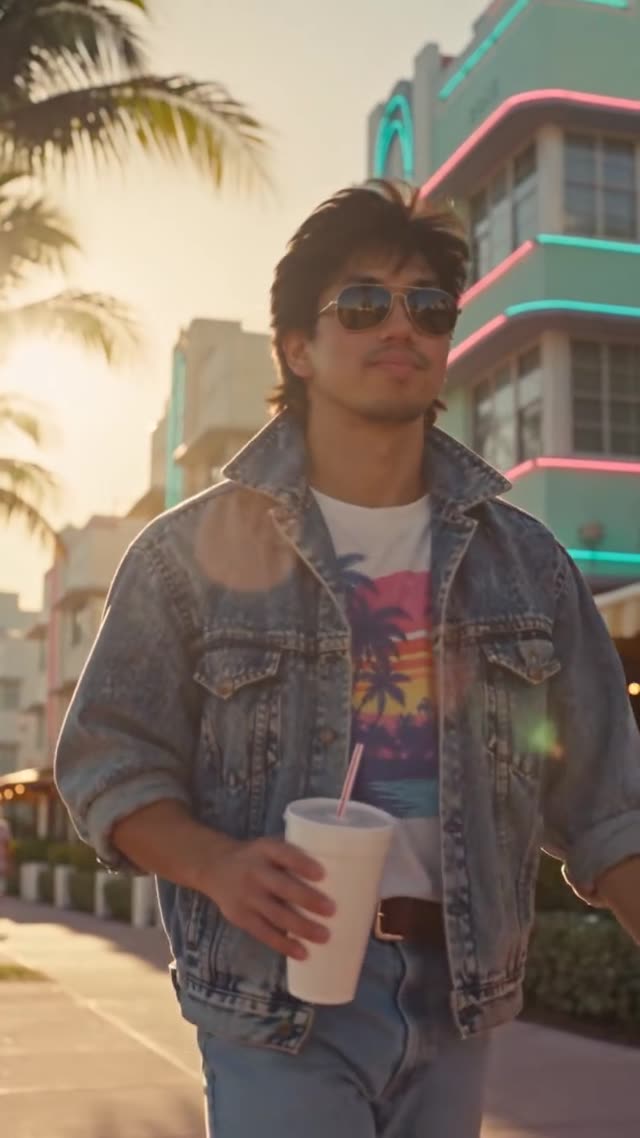

Render your viral dance clip in seconds
Upload your photo and hit Generate. 100% watermark-free HD export (up to Full HD 1080p).
How much does an AI dance video cost?
Basic
100 credits / month · ≈ 10 videos
$29.90/mo
≈ $2.99 / video
- Watermark-free HD export
- 100 fresh credits monthly
- Unused balance rolls over
- Cancel subscription anytime
ProSave 17%
200 credits / month · ≈ 20 videos
$49.90/mo
≈ $2.50 / video
- Clean 1080p MP4 downloads
- 200 monthly generation credits
- Automatic credit rollover
- Flexible monthly billing
StudioSave 26%
450 credits / month · ≈ 45 videos
$99.90/mo
≈ $2.22 / video
- Priority queue & 1080p output
- 450 credits refreshed monthly
- Keep unused monthly credits
- One-click account management
Or buy credits once
Basic: 10 videos a month for $29.90. The Crew Pack is 25 videos for $99, once.
Single
10 credits · ≈ 1 video
$9.90
≈ $9.90 / video
- Zero watermark on output
- Ready for TikTok & Reels
- Balance stays valid forever
- Auto-refund on failed tasks
Trio PackSave 39%
30 credits · ≈ 3 videos
$17.99
≈ $6 / video
- Unbranded HD video files
- Share across social feeds
- No expiration date on pack
- Instant credit return if blocked
Squad PackSave 41%
50 credits · ≈ 5 videos
$29
≈ $5.80 / video
- Full commercial social rights
- Export vertical 9:16 or 16:9
- Lifetime credit validity
- Protected against render errors
Crew PackSave 60%
250 credits · ≈ 25 videos
$99
≈ $3.96 / video
- Studio-grade watermark-free MP4
- Post to Shorts, Reels & TikTok
- Credits never expire
- Failed renders are refunded
Studio PackSave 66%
600 credits · ≈ 60 videos
$199
≈ $3.32 / video
- High-volume creator bundle
- Supports Ultra & Seedance 2.0
- Use at your own schedule
- 100% credit guarantee on failures
Label PackSave 72%
1800 credits · ≈ 180 videos
$499
≈ $2.77 / video
- Agency & multi-channel scale
- Lowest cost per rendered clip
- Permanent credit balance
- Zero risk on interrupted jobs
Get the next viral trend first
One email whenever a new TikTok or Reels AI trend explodes on HotDance AI. Unsubscribe at any time.
Search HotDance AI on Google
Add HotDance AI to your bookmarks or preferred sources on Google to get instant access to new trending AI video templates before they peak.