Bangle AI Photo Video Generator
Turn one solo portrait into the viral bangle ai photo video on HotDance AI. Place yourself inside a warm glass bangle boutique lined with colorful shelves and gleaming counter trays in a smooth 5-second vertical 9:16 clip.
- 5s
- 1 person
- 9:16 vertical
Create the viral bangle ai photo video from one portrait on HotDance AI. Smooth 5-second market counter motion rendered in watermark-free HD MP4.
- 1 Your photo
- 2 Free preview
- 3 Your video
Star in Bangle AI
Add a photo and see yourself in the scene first, free.
Free preview first · Automatic refund if it fails
By making it, you confirm you have permission to use the uploaded photos.
Bangle AI Photo Bazaar Counter Sequence
- Quality Options
- HD (720p) · Full HD (1080p)
- Credit Price
- From 10 credits (HD · 720p)
- Length & Format
- 5s · 9:16 HD
- Input
- 1 Photo(s)
- Identity & Drapery Lock Keeps facial bone structure, eyes, hair, and outfit embroidery faithful to your uploaded photo across all 5 seconds.
- Layered Bazaar Depth Maintains shallow depth-of-field separation between the sharp foreground bangle trays and the colorful rear market racks.
- Articulated Wrist Grace Guides smooth palm and wrist posture over the velvet bangle rolls without finger distortion or geometric flicker.
Vertical 9:16 5-second bangle ai photo sequence anchored to the uploaded subject from your uploaded photo. Place the subject seated behind a polished glass-and-wood bangle shop counter framed by tall floor-to-ceiling display racks bursting with rainbow velvet bangle rolls and marigold garland accents. From 0 to 2.5 seconds, warm market ambient lighting catches the facial features and traditional embroidery while the subject gently tilts their head downward toward cylindrical trays of red, emerald, and gold bangles resting across the foreground counter. From 2.5 to 5 seconds, the subject lifts both wrists smoothly, letting delicate glass bracelets slide and chime subtly as they glance back toward the lens with a soft serene smile. Crisp bokeh depth on background shelves, lifelike hand articulation, zero warping on stacked circular rings, authentic bangle ai photo shop atmosphere.
Why Manual Editing Falls Short
- Dense repeating circular bangle racks behind a moving head often smear into chromatic noise without depth separation.
- Gentle hand placement near glass bangle rods frequently produces extra knuckles or fused bracelets on unguided models.
- Warm indoor bazaar bulbs mixed with doorway daylight easily shift skin tone mid-clip unless locked from frame zero.
✓How HotDance AI Solves It
HotDance AI separates foreground jewelry geometry from portrait facial landmarks so every bangle ai photo render stays sharp, lifelike, and identity-accurate.
Bangle AI examples
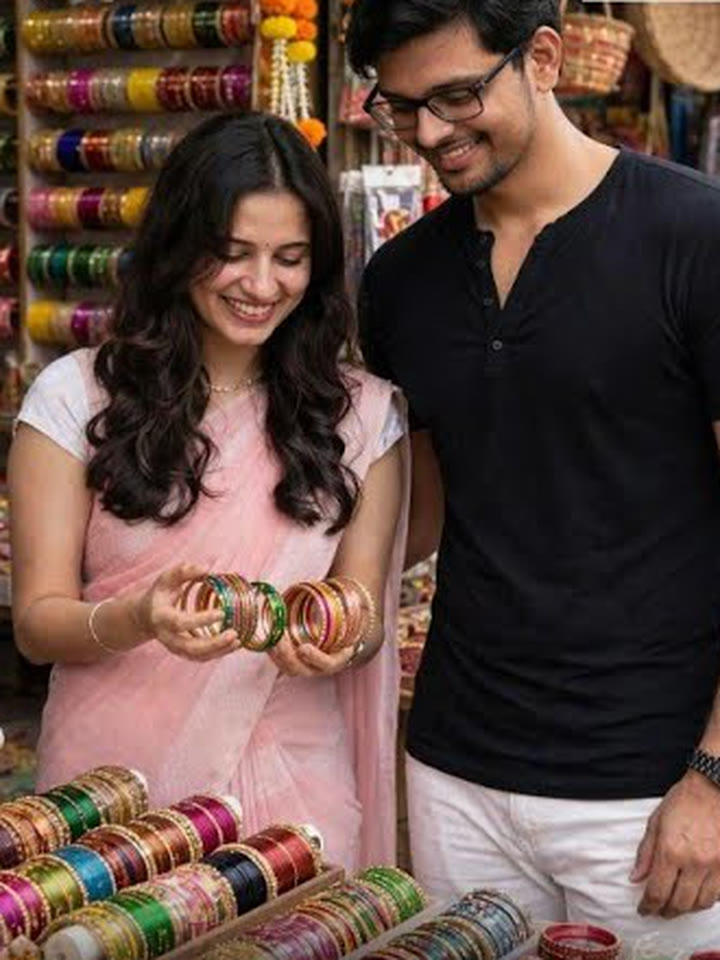
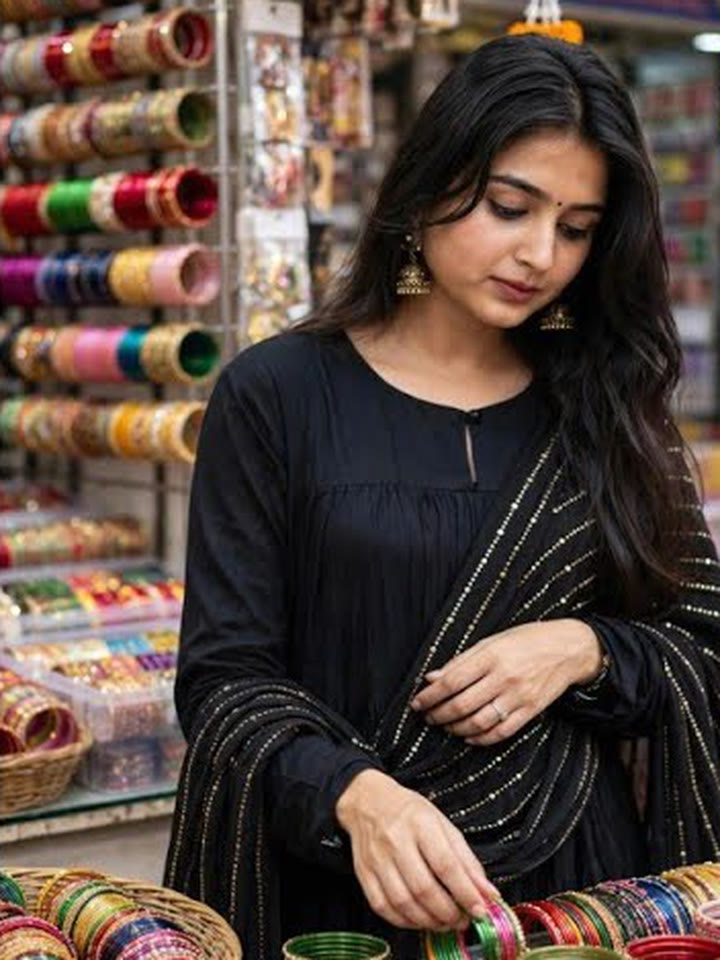
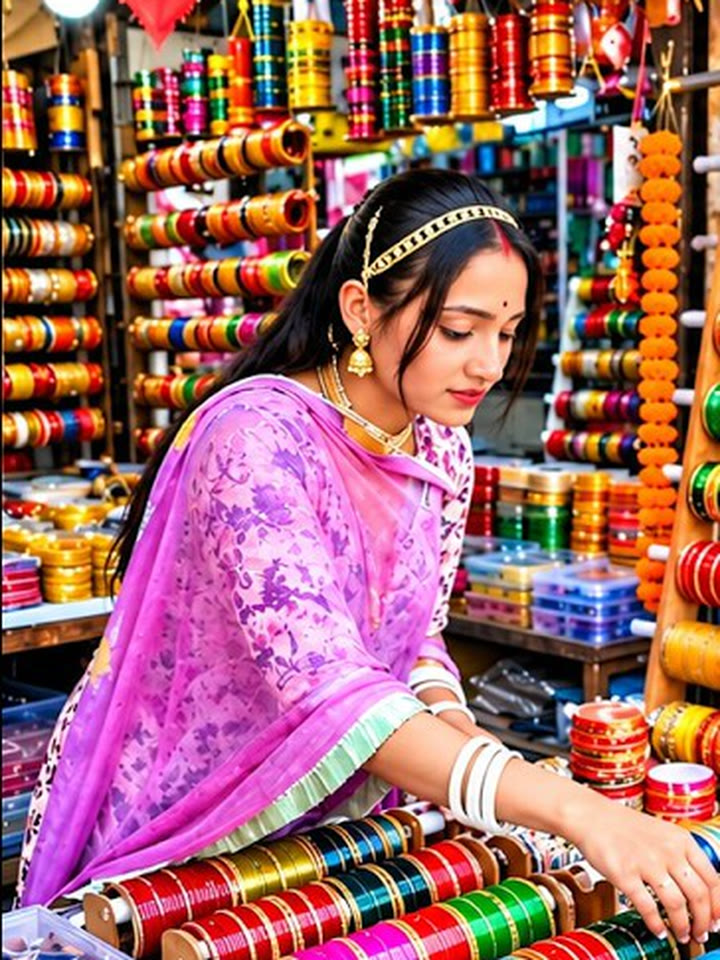
How to make your Bangle AI video
Upload one portrait photo
Pick a sharp solo selfie or upper-body portrait with unobstructed eyes and even front light.
Choose your traditional outfit
Select Royal Purple Kurta, Festive Anarkali, or Silk Market Saree to set the wardrobe tone.
Download watermark-free HD MP4
Export your finished 5-second bangle ai photo clip ready to pair with trending Reels or TikTok audio.
What Is the Bangle AI Photo Trend?
Remake the Bangle AI trend on HotDance AI (hotdanceai.com): upload 1 photo, check your instant AI character frame preview with no sign-up, and render a 5s watermark-free HD video with synced audio from 10 credits — no prompt writing or reference video needed.
The bangle ai photo trend transforms an everyday smartphone selfie into an atmospheric five-second vignette set inside a traditional South Asian churiya bazaar shop. Backdropped by soaring wooden shelves packed with iridescent red, green, turquoise, and gold glass bracelets, the subject sits calmly at the counter admiring freshly sorted trays.
Driven by nostalgic acoustic tracks and festive styling aesthetics across Instagram Reels and YouTube Shorts, creators use the bangle ai photo look to showcase kurta suites, silk sarees, and wedding season moodboards without booking a boutique location shoot.
With HotDance AI, recreating the bangle ai photo experience takes a single photo upload. Seedance 2.0 preserves natural skin texture, delicate hand gestures over the counter displays, and authentic overhead stall warmth inside a clean 5-second watermark-free MP4.
Bangle AI timeline breakdown
Market Counter Reveal
The camera settles at eye level across the wooden display table, opening the bangle ai photo composition with vibrant multicolored shelves glowing in soft bokeh.
Glance Down at Bangle Trays
The subject gracefully lowers their gaze and extends slender fingers over velvet bangle rolls arranged in crimson, emerald, and saffron stripes.
Poised Closing Smile
Warm ambient key light catches subtle earrings and stacked bracelets as the subject turns softly toward the lens before the loop ends.
Pro tips for the sharpest Bangle AI render
Choose an eye-level upper-body portrait
Including your shoulders and neckline in the upload gives your bangle ai photo render cleaner fabric drape around the collar and dupatta.
Keep your hair and eyes unobstructed
Avoid heavy sunglasses or cropped bangs covering the brow so the subtle downward glance tracks smoothly.
Pair soft daylight selfies with Silk Saree
Even daylight source photos blend most naturally into the warm boutique shadows and jewel-toned racks.
Viral Bangle AI ideas and creative twists to try
Festive Wedding Moodboard Reel
"Clear daylight portrait + Festive Anarkali preset + acoustic track"
Drop your finished bangle ai photo video into a Mehndi or Diwali outfit reveal carousel alongside jewelry flat-lays.
Boutique Aesthetic Story Loop
"Natural smile selfie + Royal Purple Kurta + 720p HD export"
Share the 5-second bangle ai photo clip on Instagram Stories or WhatsApp Status paired with nostalgic Bollywood instrumental audio.
Frequently asked questions about Bangle AI
How do I create a bangle ai photo video from a selfie?
Upload one clear solo portrait in the generator slot, pick Royal Purple Kurta, Festive Anarkali, or Silk Market Saree, and click Generate to produce your 5-second vertical 9:16 MP4.
How many credits does the bangle ai photo template cost?
The bangle ai photo video template starts at 10 credits in HD (720p) for a 5-second render, with Full HD (1080p) at 93 credits and watermark-free MP4 download included.
How many photos do I need to upload for this effect?
This template requires only 1 photo of the person appearing at the bangle counter, keeping generation fast and consistent.
Does the exported bangle ai photo clip work with Instagram Reels music?
Yes. Every rendered MP4 exports cleanly without watermarks and includes a synced audio container ready for you to layer any trending Reels or TikTok song.
Why do glass bangles and fingers look realistic here?
Seedance 2.0 motion conditioning separates the stationary velvet bangle trays from the moving wrists and head turn, avoiding ring distortion.
How long does it take to render my 5-second video?
Most 5-second HD renders finish in roughly one to two minutes and save straight to your HotDance AI library without watermarks.






More Effects Like This

Render your viral dance clip in seconds
Upload your photo and hit Generate. 100% watermark-free HD export (up to Full HD 1080p).
How much does an AI dance video cost?
Basic
100 credits / month · ≈ 10 videos
$29.90/mo
≈ $2.99 / video
- Watermark-free HD export
- 100 fresh credits monthly
- Unused balance rolls over
- Cancel subscription anytime
ProSave 17%
200 credits / month · ≈ 20 videos
$49.90/mo
≈ $2.50 / video
- Clean 1080p MP4 downloads
- 200 monthly generation credits
- Automatic credit rollover
- Flexible monthly billing
StudioSave 26%
450 credits / month · ≈ 45 videos
$99.90/mo
≈ $2.22 / video
- Priority queue & 1080p output
- 450 credits refreshed monthly
- Keep unused monthly credits
- One-click account management
Or buy credits once
Basic: 10 videos a month for $29.90. The Crew Pack is 25 videos for $99, once.
Single
10 credits · ≈ 1 video
$9.90
≈ $9.90 / video
- Zero watermark on output
- Ready for TikTok & Reels
- Balance stays valid forever
- Auto-refund on failed tasks
Trio PackSave 39%
30 credits · ≈ 3 videos
$17.99
≈ $6 / video
- Unbranded HD video files
- Share across social feeds
- No expiration date on pack
- Instant credit return if blocked
Squad PackSave 41%
50 credits · ≈ 5 videos
$29
≈ $5.80 / video
- Full commercial social rights
- Export vertical 9:16 or 16:9
- Lifetime credit validity
- Protected against render errors
Crew PackSave 60%
250 credits · ≈ 25 videos
$99
≈ $3.96 / video
- Studio-grade watermark-free MP4
- Post to Shorts, Reels & TikTok
- Credits never expire
- Failed renders are refunded
Studio PackSave 66%
600 credits · ≈ 60 videos
$199
≈ $3.32 / video
- High-volume creator bundle
- Supports Ultra & Seedance 2.0
- Use at your own schedule
- 100% credit guarantee on failures
Label PackSave 72%
1800 credits · ≈ 180 videos
$499
≈ $2.77 / video
- Agency & multi-channel scale
- Lowest cost per rendered clip
- Permanent credit balance
- Zero risk on interrupted jobs
Get the next viral trend first
One email whenever a new TikTok or Reels AI trend explodes on HotDance AI. Unsubscribe at any time.
Search HotDance AI on Google
Add HotDance AI to your bookmarks or preferred sources on Google to get instant access to new trending AI video templates before they peak.