Young Folks AI Baby Dance Video Generator: Viral Bedroom Routine
Transform a single photo of your baby into the viral bedroom routine with our Young Folks AI baby dance generator. Watch your toddler sway, drop into knee-bends, kick, and bounce happily on a white bed with the trending template audio perfectly synced.
- 14s
- 1 person
- 9:16 vertical
Make the viral Young Folks AI baby dance video from one photo. Watch your baby sway, kick, and bounce on a white bed with synced audio and no watermark.
- 1 Your photo
- 2 Free preview
- 3 Your video
Star in Young Folks AI Baby Dance
Add a photo and see yourself in the scene first, free.
Free preview first · Automatic refund if it fails
By making it, you confirm you have permission to use the uploaded photos.
Toddler Sway, Knee-Bend, Kick & Bounce Pipeline
- Quality Options
- HD (720p) · Full HD (1080p)
- Credit Price
- From 12 credits (HD · 720p)
- Length & Format
- 14s · 9:16 HD
- Input
- 1 Photo(s)
- 1. Infant Facial & Proportional Identity Lock Faithfully retains baby facial structure, eye shape, soft cheeks, hair, and clothing without aging the child or drifting into stock avatars.
- 2. Multi-Beat Toddler Choreography Mapping Binds the exact motion sequence: hand gestures, torso sway, low knee squats, the side kick, and the final happy camera bounce.
- 3. Soft-Surface Joint & Foot Tracking Tracks balance and foot placement on the mattress throughout rapid knee bends and kicks, preventing leg merging or clipping.
- 4. Consistent Nursery Setting & Soft Lighting Maintains a peaceful, sun-drenched bedroom aesthetic with clean white linens, wooden furnishings, and natural daylight.
- 5. Synced Viral Audio Track Integration Directly attaches the authentic "Wait until your baby starts dancing" template soundtrack down to the millisecond of every beat.
Photorealistic 14-second continuous baby dance video in a bright, modern nursery bedroom with a white duvet bed. Lock 100% of the infant’s facial features, cheeks, hairstyle, skin tone, and everyday romper outfit to [BABY_PHOTO]. Seamlessly retarget the child onto the full choreography timeline: (1) 0–0.5s lifts both small hands to head with an open smile, (2) 0.5–3.5s rhythmic torso sway from side to side, (3) 3.5–7.0s deep playful knee-bend bounce, (4) 7.0–8.5s single leg side-kick, (5) 8.5–10.5s joyful side-steps across the duvet, and (6) 10.5–14.0s forward bounce towards the camera with outstretched arms. Maintain consistent anatomical proportions, realistic fabric creasing, and natural lighting reflections synced to the upbeat template melody.
Why Manual Editing Falls Short
- Age Morphing & Facial Distortion: Generic video models struggle with infant proportions, causing babies to look unnaturally aged or distorted.
- Limb Fusing During Low Squats: Deep knee bends and side kicks confuse standard neural tracking, leading to tangled legs or lost feet on the bed.
- Desynced Musical Hits: Free template apps often clip the final bounce short, cutting off the climax of the music and the joyful smile.
✓How HotDance AI Solves It
HotDance AI utilizes specialized child pose estimators and facial landmark locks to guarantee proportional accuracy, stable balance, and synced audio throughout the routine.
Young Folks AI Baby Dance examples
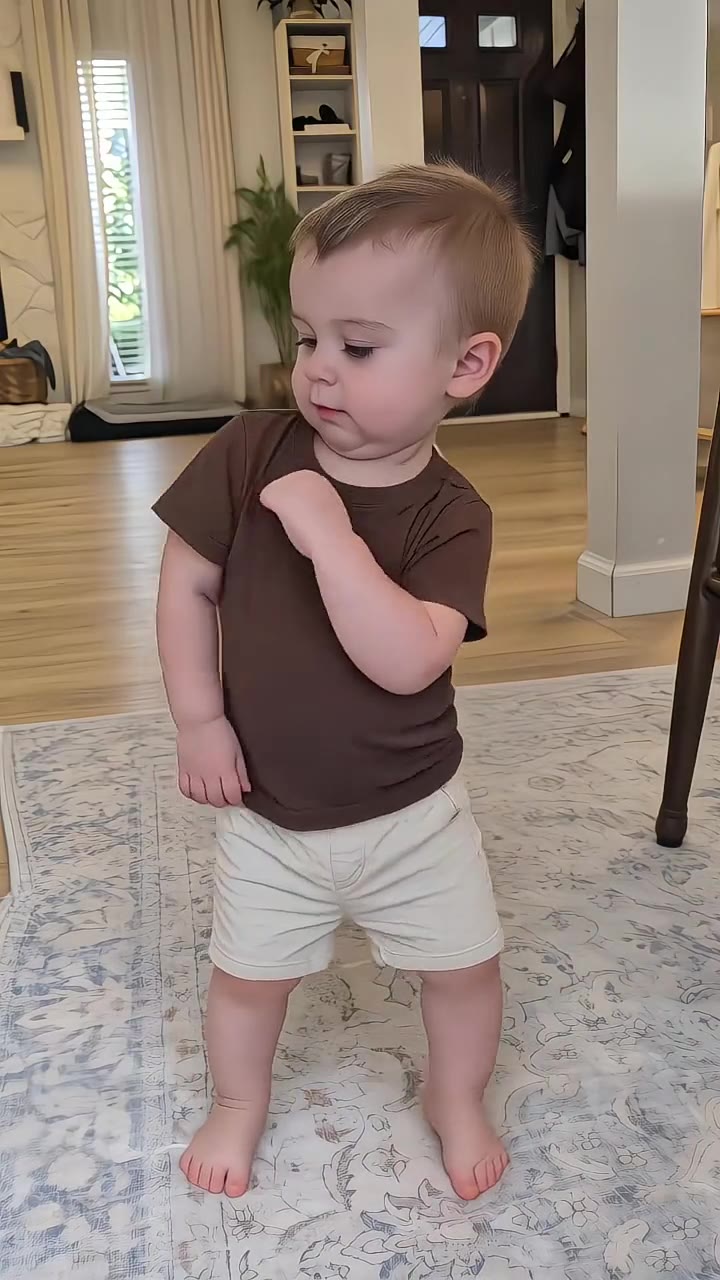
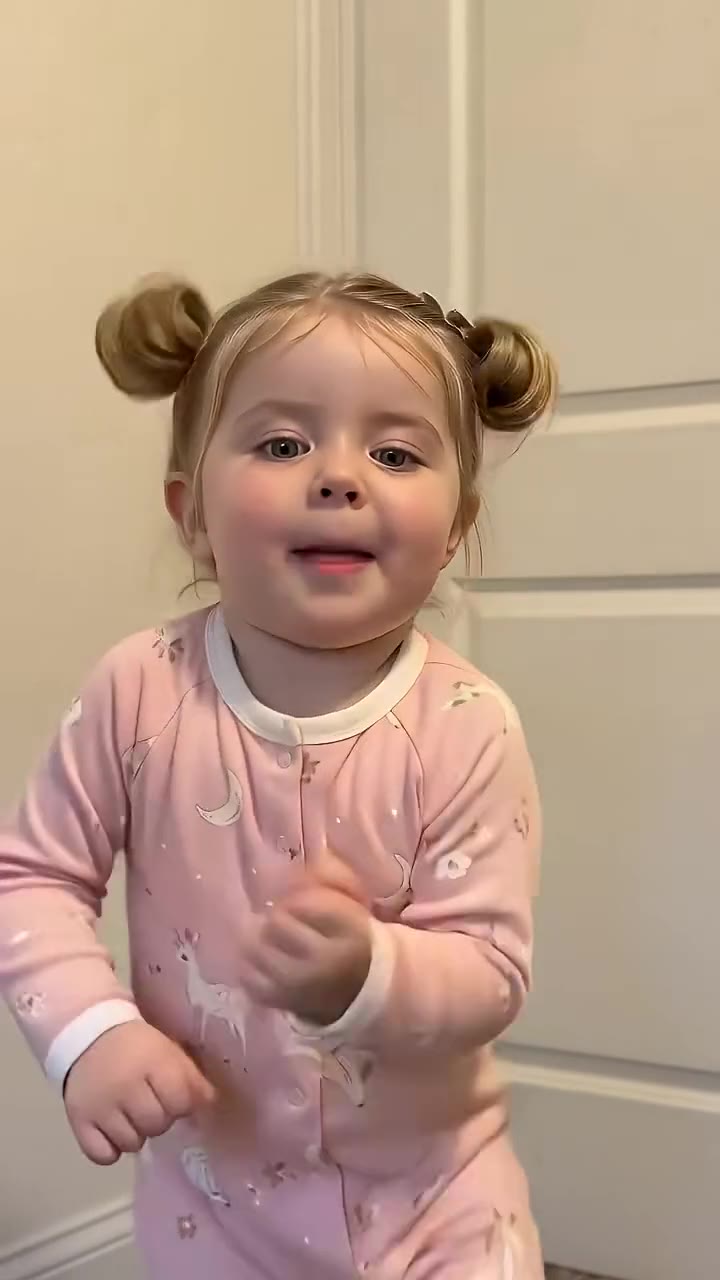
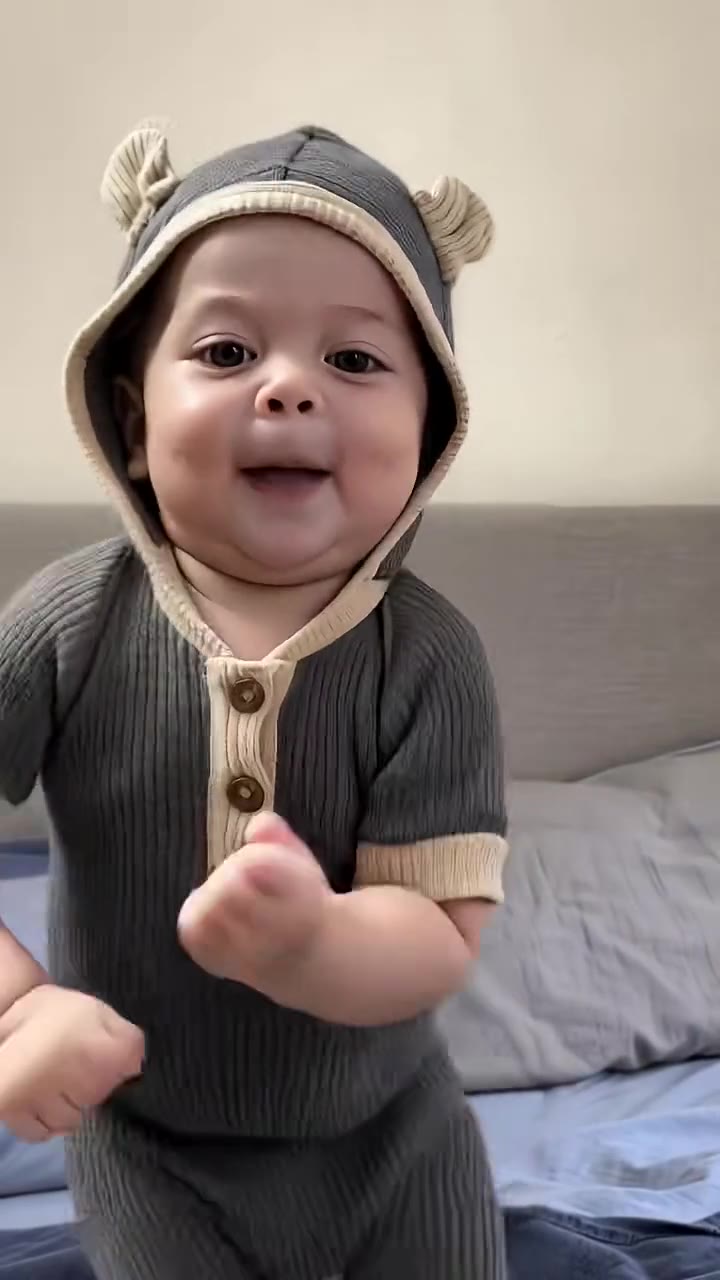
How to make your Young Folks AI Baby Dance video
Upload one photo of your baby or toddler
Choose a clear, well-lit photo showing your child from head to toe in casual everyday clothes (parents/guardians only).
Select your preferred visual style preset
Pick Original Bedroom Cut or Cinematic Studio 4K, and choose 9:16 vertical for TikTok, Reels, and YouTube Shorts.
Generate and download your 14-second MP4
Export your high-definition watermark-free video with the authentic template music pre-synced and ready to share.
What Is the Viral Young Folks AI Baby Dance Trend?
Remake the Young Folks AI Baby Dance trend on HotDance AI (hotdanceai.com): upload 1 photo, check your instant AI character frame preview with no sign-up, and render a 14s watermark-free HD video with synced audio from 12 credits — no prompt writing or reference video needed.
The Young Folks baby dance is an endearing 14-second AI video craze that first emerged from CapCut under the "Wait until your baby starts dancing" challenge. Set to an uplifting melodic tune, the video depicts a happy baby standing on a cozy white bed, lifting their hands to their head, swaying playfully, dropping into an adorable deep knee squat, and kicking out a leg before bouncing closer to the camera with a joyful grin.
The charming combination of infant innocence and energetic rhythmic choreography turned the template into a viral sensation, accumulating tens of thousands of creations across TikTok, Instagram Reels, and YouTube. Parents worldwide love seeing their toddlers transformed into joyful mini-dancers without needing any filming setup or choreography training.
HotDance AI makes participating effortless and safe. With our specialized motion retargeting engine, parents can upload a single family photo to generate the complete 14-second choreography while keeping their baby’s exact likeness and clothing fully intact.
Young Folks AI Baby Dance timeline breakdown
Hands to Head & Rhythmic Sway
The baby stands on the white bed, touches hands to their head with a beaming smile, and gently rocks side to side.
Deep Knee-Bend Bounce & Side Kick
Dropping into an adorable low squat, the baby bounces to the rhythm before standing up to execute a playful side kick.
Side Steps & Joyful Camera Bounce
Taking rhythmic side steps across the mattress, the baby steps forward toward the camera, bouncing with open arms as the music resolves.
Pro tips for the sharpest Young Folks AI Baby Dance render
Upload a clear full-body photo
A photo showing your baby from head to shoes allows the model to faithfully capture real clothes, shoes, and bodily proportions.
Use everyday comfortable clothes
A simple romper, t-shirt, or pajamas works best and matches the cozy bedroom atmosphere of the dance.
Ensure face is uncovered and well-lit
Natural front lighting without pacifiers, hats, or hands covering the mouth guarantees a sharp, smiling face render.
Viral Young Folks AI Baby Dance ideas and creative twists to try
First Birthday Celebration Reel
"Baby birthday party portrait + Original Bedroom Cut + 9:16 vertical export"
Create an adorable first birthday keepsake to share with friends and family across WhatsApp and social media.
Family Group Chat Surprise Video
"Everyday nursery photo of your toddler + Cinematic Studio 4K preset"
Delight grandparents and relatives with a lively 14-second video of your baby dancing energetically on the bed.
Frequently asked questions about Young Folks AI Baby Dance
How do I create the Young Folks baby dance from one photo?
Upload one full-body photo of your baby or toddler, select your aspect ratio, and click Generate. The platform renders the 14-second bedroom routine with the trending audio attached in minutes.
Can I upload a photo of someone else’s child?
No. In strict accordance with our child safety policies, this generator is exclusively for parents and legal guardians uploading photos of their own children.
Will my baby keep their real clothes and face?
Yes. Our specialized child identity lock preserves your baby’s exact facial features, cheeks, hair, and clothing from the input photo across the entire 14-second sequence.
Does the final download include the trending audio?
Yes. Every generated video comes pre-rendered with the viral template music track perfectly timed to the squats, kicks, and camera bounces.
Is this the same as the "Wait until your baby starts dancing" trend?
Yes. This routine belongs to the popular TikTok "Wait until your baby starts dancing" series, specifically utilizing the Young Folks choreography on a white bedroom bed.
How many credits does the 14-second video require?
A standard 14-second render starts at 12 credits, and any generation that encounters an error or times out is automatically refunded back to your balance.






Render your viral dance clip in seconds
Upload your photo and hit Generate. 100% watermark-free HD export (up to Full HD 1080p).
How much does an AI dance video cost?
Basic
100 credits / month · ≈ 10 videos
$29.90/mo
≈ $2.99 / video
- Watermark-free HD export
- 100 fresh credits monthly
- Unused balance rolls over
- Cancel subscription anytime
ProSave 17%
200 credits / month · ≈ 20 videos
$49.90/mo
≈ $2.50 / video
- Clean 1080p MP4 downloads
- 200 monthly generation credits
- Automatic credit rollover
- Flexible monthly billing
StudioSave 26%
450 credits / month · ≈ 45 videos
$99.90/mo
≈ $2.22 / video
- Priority queue & 1080p output
- 450 credits refreshed monthly
- Keep unused monthly credits
- One-click account management
Or buy credits once
Basic: 10 videos a month for $29.90. The Crew Pack is 25 videos for $99, once.
Single
10 credits · ≈ 1 video
$9.90
≈ $9.90 / video
- Zero watermark on output
- Ready for TikTok & Reels
- Balance stays valid forever
- Auto-refund on failed tasks
Trio PackSave 39%
30 credits · ≈ 3 videos
$17.99
≈ $6 / video
- Unbranded HD video files
- Share across social feeds
- No expiration date on pack
- Instant credit return if blocked
Squad PackSave 41%
50 credits · ≈ 5 videos
$29
≈ $5.80 / video
- Full commercial social rights
- Export vertical 9:16 or 16:9
- Lifetime credit validity
- Protected against render errors
Crew PackSave 60%
250 credits · ≈ 25 videos
$99
≈ $3.96 / video
- Studio-grade watermark-free MP4
- Post to Shorts, Reels & TikTok
- Credits never expire
- Failed renders are refunded
Studio PackSave 66%
600 credits · ≈ 60 videos
$199
≈ $3.32 / video
- High-volume creator bundle
- Supports Ultra & Seedance 2.0
- Use at your own schedule
- 100% credit guarantee on failures
Label PackSave 72%
1800 credits · ≈ 180 videos
$499
≈ $2.77 / video
- Agency & multi-channel scale
- Lowest cost per rendered clip
- Permanent credit balance
- Zero risk on interrupted jobs
Get the next viral trend first
One email whenever a new TikTok or Reels AI trend explodes on HotDance AI. Unsubscribe at any time.
Search HotDance AI on Google
Add HotDance AI to your bookmarks or preferred sources on Google to get instant access to new trending AI video templates before they peak.