Ayudha Pooja AI Video Editing: 10s Profile Clean Video
Turn one portrait into the viral Ayudha Pooja AI video editing sensation: step smoothly out of your social profile avatar, wipe the digital smartphone screen spotless with a polishing cloth, and strike a festive pose.
- 10s
- 1 person
- 9:16 vertical
Create viral Ayudha Pooja AI video editing from one photo. Step out of your profile to clean the screen in a 10-second watermark-free HD MP4 on HotDance AI.
- 1 Your photo
- 2 Free preview
- 3 Your video
Star in Ayudha Pooja AI Video Editing
Add a photo and see yourself in the scene first, free.
Free preview first · Automatic refund if it fails
By making it, you confirm you have permission to use the uploaded photos.
Ayudha Pooja AI Video Editing Screen Interaction Spec
- Quality Options
- HD (720p) · Full HD (1080p)
- Credit Price
- From 10 credits (HD · 720p)
- Length & Format
- 10s · 9:16 HD
- Input
- 1 Photo(s)
- Foreground Subject Identity Lock Maps @Image1 directly onto the moving character stepping through the social media profile threshold.
- 0.0–3.0s Avatar Emergence Motion Smoothly detaches the avatar circle into a three-dimensional standing figure stepping forward into frame.
- 3.0–7.0s Rhythmic Screen Polishing Coordinates dual-handed circular wiping gestures with a white cleaning rag across the virtual lens glass.
- 7.0–10.0s Festive Reveal & Wave Steps back with a clean sparkling glass surface, flashing an authentic smile and cheerful festive greeting.
Replace the figure stepping out of the digital social profile interface in @Video1 with the person from @Image1. Preserve authentic facial structure, hairstyle, skin tone, and clothing throughout the entire sequence. Track precise spatial depth and prop manipulation keypoints: the subject materializing forward from the circular profile avatar cutout during 0–3s, wiping the screen glass with a clean cloth in rhythmic circular motions during 3–7s, and stepping back with a festive greeting or garland presentation during 7–10s.
Why Manual Editing Falls Short
- Without UI plane isolation, generative video models smudge the social profile background and distort text elements.
- Stepping across the 2D avatar threshold causes facial warping or limb doubling in unguided text-to-video tools.
- Low-resolution profile screenshots prevent fine landmark extraction on the subject eyes and mouth.
✓How HotDance AI Solves It
HotDance AI decouples the 2D user interface layer from the animated 3D subject mesh, ensuring pristine photo likeness during the screen wipe action.
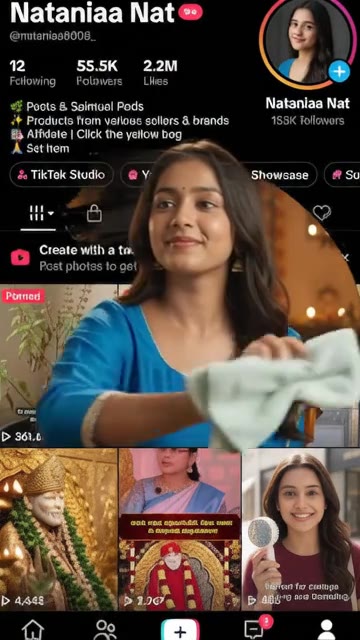
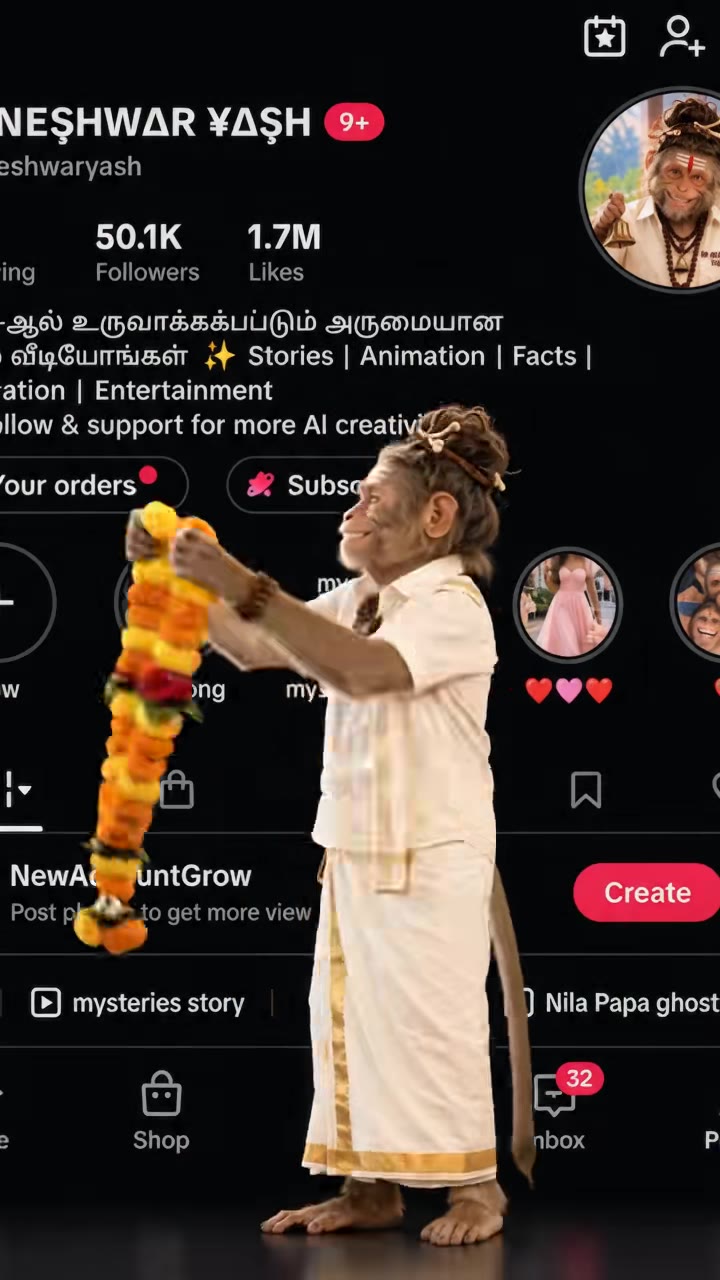
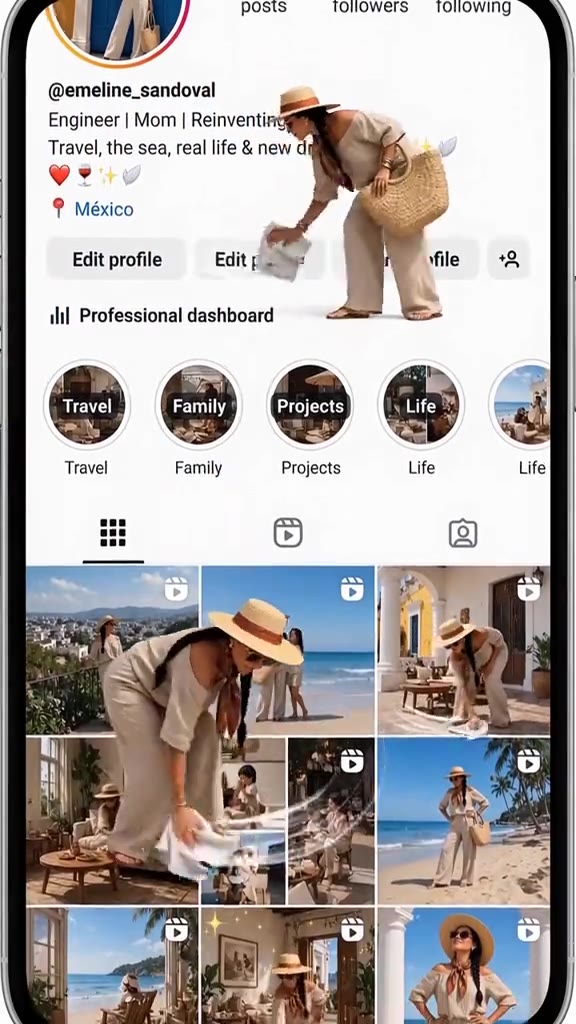
Ayudha Pooja AI Video Editing examples
How to make your Ayudha Pooja AI Video Editing video
Upload Profile Portrait
Submit a clear portrait or a screenshot of your social media profile page.
Select Festive Style
Pick between the traditional marigold garland ambience or the modern clean wave aesthetic.
Export Watermark-Free Video
Download your high-definition ayudha pooja ai video editing clip ready for Reels, TikTok, and WhatsApp.
What Is the Ayudha Pooja AI Video Editing Video Trend?
Remake the Ayudha Pooja AI Video Editing trend on HotDance AI (hotdanceai.com): upload 1 photo, check your instant AI character frame preview with no sign-up, and render a 10s watermark-free HD video with synced audio from 10 credits — no prompt writing or reference video needed.
The ayudha pooja ai video editing phenomenon is a viral festival-inspired social media trend where a person appears to physically step out of their circular social profile avatar and wipe the digital smartphone screen clean with a polishing cloth before celebrating with festive garlands and greetings.
Originating around the Ayudha Pooja and Navratri season to honor the tools of everyday work and technology, the ayudha pooja ai video editing format rapidly became a trending TikTok and Instagram Reels meme for creators showcasing a fresh digital clean-up. HotDance AI turns this complex multi-layered motion edit into a one-click generation from a single screenshot or portrait.
By separating the static social interface background from the moving three-dimensional figure, our ayudha pooja ai video editing generator maintains crisp user likeness while animating the playful fourth-wall-breaking screen cleaning animation without visible compression artifacts.
Updated November 10, 2026 · Independent AI video tool on HotDance AI, unaffiliated with TikTok or CapCut.
Trend Origin & Viral Timeline
- November 10, 2026: Published 10-second Ayudha Pooja AI Video Editing template with UI depth threshold separation.
Ayudha Pooja AI Video Editing timeline breakdown
Emerging from the Profile Avatar
The subject springs to life inside the circular avatar frame and steps smoothly forward through the screen boundary into the foreground.
The Screen Glass Polish Routine
Holding a clean polishing cloth, the subject diligently wipes the entire smartphone glass display from top to bottom.
Festive Celebration & Final Pose
The screen gleams spotless as the subject presents a cheerful festive wave and smiling celebratory pose.
Pro tips for the sharpest Ayudha Pooja AI Video Editing render
Use High-Contrast Portraits
Clear facial lighting helps the model extract clean edge boundaries for the avatar step-out sequence.
Try Full Profile Screenshots
Uploading a real mobile profile screenshot enhances the fourth-wall-breaking visual prank effect.
Share as Festive Greetings
Post your custom clip during Navratri and Ayudha Pooja celebrations to maximize viral reach.
Viral Ayudha Pooja AI Video Editing ideas and creative twists to try
Viral Festive Social Media Greeting
"Self portrait + Ayudha Pooja AI Video Editing Festive Garland preset"
Share a delightful festive cleaning clip on Instagram Reels and WhatsApp statuses for friends and family.
Digital Spring Cleaning Reveal
"Profile screenshot + Clean Wave Finale 1080p preset"
Announce a personal rebrand or account refresh with a hilarious fourth-wall-breaking screen clean video.
Good to know before you start your video render
- Works with normal portrait headshots as well as full screenshots of TikTok or Instagram profiles.
- Synced festive background music is automatically mixed into every generated MP4.
- All renders are 100% watermark-free, and failed generations automatically refund credits.
Frequently asked questions about Ayudha Pooja AI Video Editing
What is the ayudha pooja ai video editing generator?
The ayudha pooja ai video editing generator on HotDance AI is an online tool that animates one photo into a 10-second video of you stepping out of your profile to clean the screen.
How do I make an ayudha pooja ai video editing video from one photo?
Upload a portrait photo or profile screenshot into the ayudha pooja ai video editing template and press Generate to create your screen cleaning clip.
Does the ayudha pooja ai video editing clip come with sound?
Yes, every exported ayudha pooja ai video editing video includes the original energetic festive audio synced to the screen wipe timing.
Can I use a screenshot of my Instagram or TikTok profile?
Yes, the ayudha pooja ai video editing tool accepts standard portraits as well as mobile profile page screenshots.
What photo produces the cleanest ayudha pooja ai video editing result?
A clear, centered head-and-shoulders portrait with good contrast provides optimal identity preservation for the ayudha pooja ai video editing pipeline.
Is the rendered ayudha pooja ai video editing video watermark-free?
Yes, all videos produced with our ayudha pooja ai video editing system export with zero watermarks in 1080p resolution.






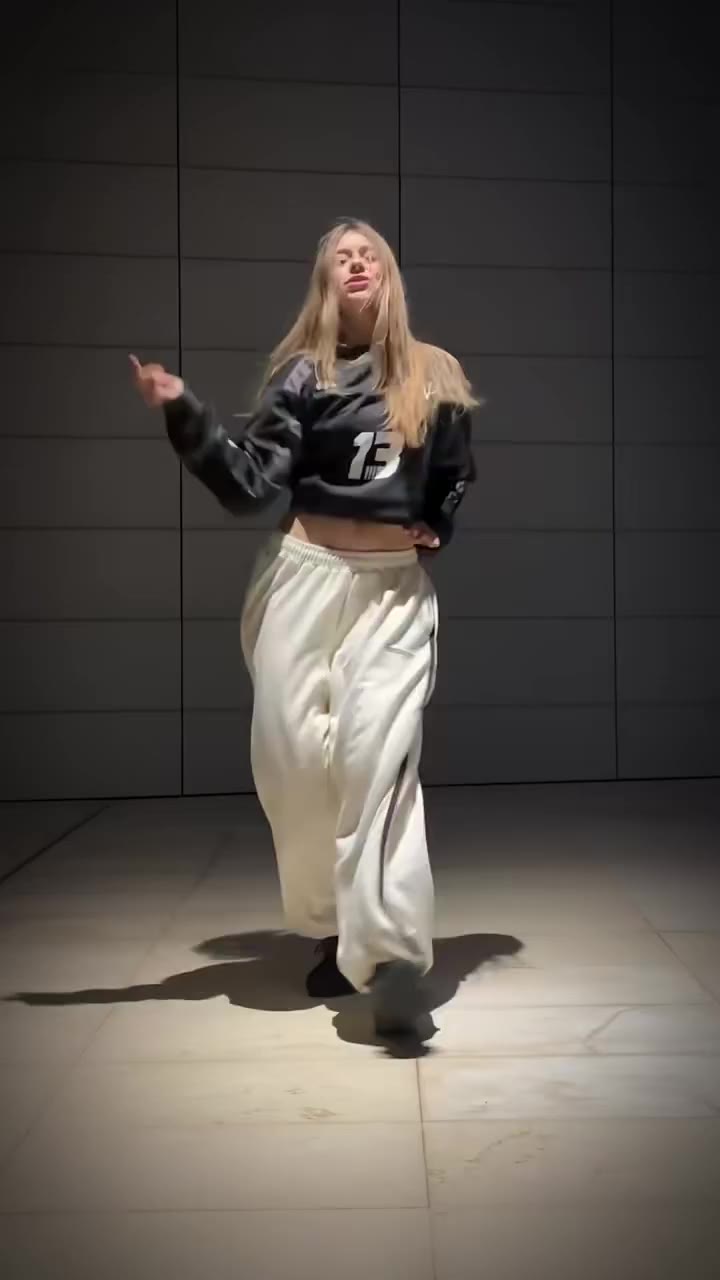
Render your viral dance clip in seconds
Upload your photo and hit Generate. 100% watermark-free HD export (up to Full HD 1080p).
How much does an AI dance video cost?
Basic
100 credits / month · ≈ 10 videos
$29.90/mo
≈ $2.99 / video
- Watermark-free HD export
- 100 fresh credits monthly
- Unused balance rolls over
- Cancel subscription anytime
ProSave 17%
200 credits / month · ≈ 20 videos
$49.90/mo
≈ $2.50 / video
- Clean 1080p MP4 downloads
- 200 monthly generation credits
- Automatic credit rollover
- Flexible monthly billing
StudioSave 26%
450 credits / month · ≈ 45 videos
$99.90/mo
≈ $2.22 / video
- Priority queue & 1080p output
- 450 credits refreshed monthly
- Keep unused monthly credits
- One-click account management
Or buy credits once
Basic: 10 videos a month for $29.90. The Crew Pack is 25 videos for $99, once.
Single
10 credits · ≈ 1 video
$9.90
≈ $9.90 / video
- Zero watermark on output
- Ready for TikTok & Reels
- Balance stays valid forever
- Auto-refund on failed tasks
Trio PackSave 39%
30 credits · ≈ 3 videos
$17.99
≈ $6 / video
- Unbranded HD video files
- Share across social feeds
- No expiration date on pack
- Instant credit return if blocked
Squad PackSave 41%
50 credits · ≈ 5 videos
$29
≈ $5.80 / video
- Full commercial social rights
- Export vertical 9:16 or 16:9
- Lifetime credit validity
- Protected against render errors
Crew PackSave 60%
250 credits · ≈ 25 videos
$99
≈ $3.96 / video
- Studio-grade watermark-free MP4
- Post to Shorts, Reels & TikTok
- Credits never expire
- Failed renders are refunded
Studio PackSave 66%
600 credits · ≈ 60 videos
$199
≈ $3.32 / video
- High-volume creator bundle
- Supports Ultra & Seedance 2.0
- Use at your own schedule
- 100% credit guarantee on failures
Label PackSave 72%
1800 credits · ≈ 180 videos
$499
≈ $2.77 / video
- Agency & multi-channel scale
- Lowest cost per rendered clip
- Permanent credit balance
- Zero risk on interrupted jobs
Get the next viral trend first
One email whenever a new TikTok or Reels AI trend explodes on HotDance AI. Unsubscribe at any time.
Search HotDance AI on Google
Add HotDance AI to your bookmarks or preferred sources on Google to get instant access to new trending AI video templates before they peak.